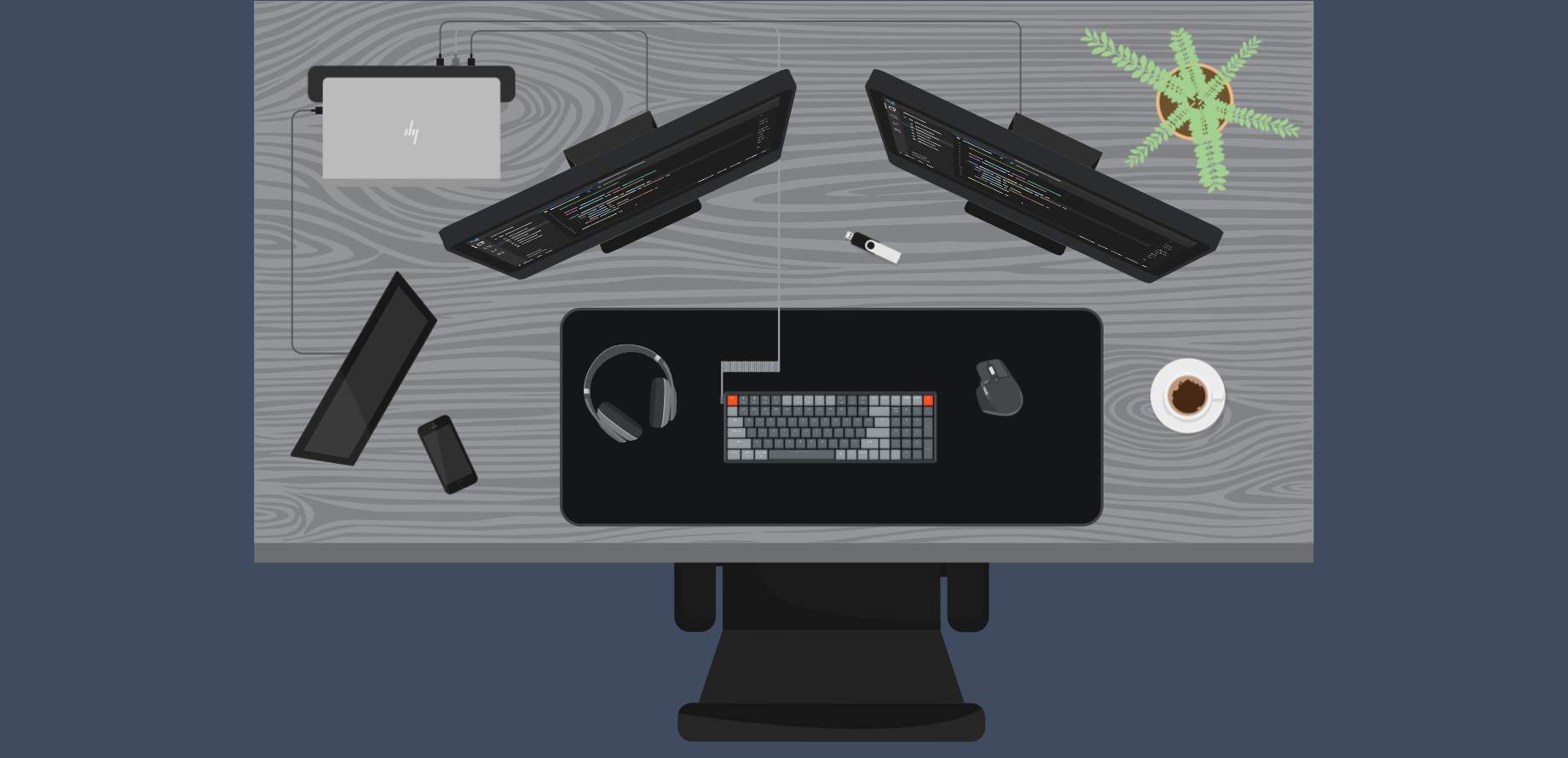
Industrial HMI development is not limited to process diagrams, equipment controls, and alarm displays. An effective interface can also help users explore equipment, inspect device information, and understand data in context.
At No Ceilings, we built Workspace Explorer, an interactive workstation demonstration developed with Ignition Perspective. It brings together SVG-based visualization, structured device data, reusable detail views, and two supporting projects, Workspace Collector and InteractionDetails.
Instead of navigating through separate screens or searching a list of properties, visitors can select equipment directly from a visual representation of the workstation and inspect the information associated with it.
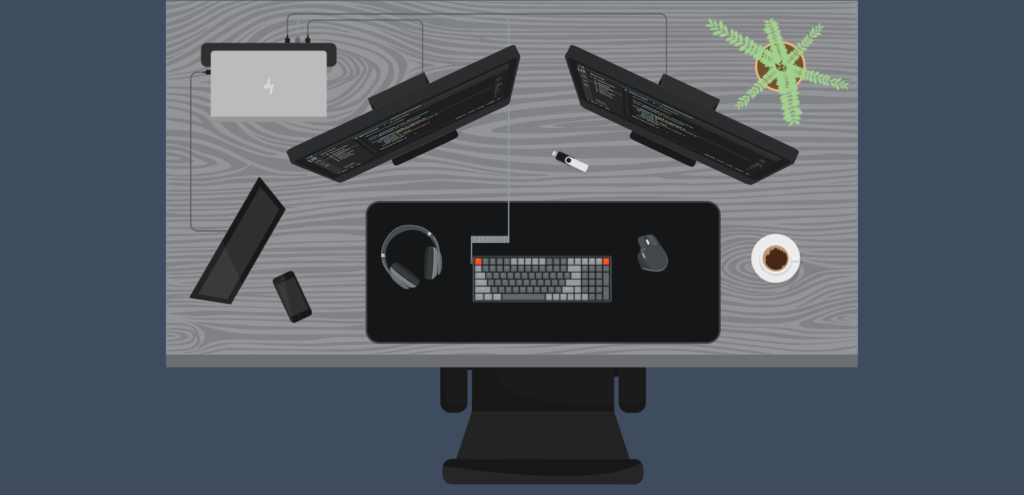
Workspace Explorer Overview
The interactive workstation provides a visual entry point to device information.View Image
Exploring the Workspace
The centerpiece of Workspace Explorer is an interactive SVG illustration of a computer workstation. Visitors can select the computer, monitors, keyboard, mouse, or headphones to open contextual detail drawers.
The computer drawer presents hardware identity and system information alongside measurements such as CPU temperature, CPU and GPU usage, and memory utilization. Other drawers focus on information relevant to their devices, including monitor settings, connection state, and battery information where available.
The demonstration also includes a coffee cup with predefined values. Unlike the monitored hardware, this is a static example that shows how the same presentation pattern can accommodate different kinds of information.
The interaction remains consistent across devices. Select an item, inspect its details, and close the drawer to return to the workstation. The workstation illustration becomes the primary navigation interface.
Device Selection in Workspace Explorer
Selecting a workstation device reveals its information without navigating to a separate screen.View Image
From Workstation Hardware to Ignition Tags
Workspace Explorer uses device information gathered by Workspace Collector, our workstation data collection application. Workspace Collector gathers hardware identity, configuration, state, and telemetry information and publishes it using MQTT Sparkplug B.
The messages travel through an MQTT broker to Ignition MQTT Engine, which exposes the received metrics as a structured tag hierarchy. In the supplied MQTT Engine export, the workstation appears under Edge Nodes/workspace/SNPC03, with separate device folders for the computer, monitors, keyboard, mouse, and headphones.
Each device organizes its available information into categories such as:
- Identity: Manufacturer, model, and other hardware identifiers
- Metadata: Device classification and descriptive information
- Configuration: Hardware capabilities and settings
- State: Availability, connection status, and device conditions
- Telemetry: Measurements such as processor temperature, memory utilization, and battery level
Not every device provides every category or measurement. The information depends on the hardware and the data available to Workspace Collector.
MQTT Engine also provides device and edge-node information associated with Sparkplug B messaging, including online status and message statistics. This makes the tag hierarchy useful for understanding both workstation data and the communication state of the publishing devices.
Workspace Data in MQTT Engine.
Sparkplug B metrics are organized by workstation device and exposed through Ignition MQTT Engine.View Image
Turning an SVG into an Interactive HMI
An SVG is made up of individual elements, which allows an interface to distinguish between selectable parts of an illustration. Workspace Explorer uses identifying attributes on the workstation drawing to associate user interactions with specific devices.
We use InteractionDetails, a custom Ignition Perspective container, to interpret those interactions. It can match configured attributes on the clicked element or a matching ancestor, which is useful when a visible device is composed of several nested SVG paths.
In Workspace Explorer, InteractionDetails identifies selected equipment through the SVG name attribute. Perspective then uses the resulting asset identifier to determine which detail drawer should appear.
Why InteractionDetails?
Ignition Perspective’s Drawing component already provides an onElementClicked event. That event reports details such as the clicked element name, its structural address within the drawing, and mouse-event information.
For Workspace Explorer, that information would still need to be interpreted to identify the corresponding workstation asset. InteractionDetails provides a more direct, attribute-based approach that can return the meaningful identifier used by the application.
The larger benefit is reuse. InteractionDetails is not limited to one Drawing component or one workstation illustration. It provides a general way to extract structured interaction information from supported elements in other Perspective interfaces.
This keeps interaction interpretation separate from the application behavior that follows a selection. The dedicated InteractionDetails project article examines the component architecture, attribute matching, and event handling in greater detail.
Presenting Device Information with Reusable Views
Once an asset is selected, Perspective updates the application’s selection state and displays the appropriate detail drawer. Device drawers use the selected asset identifier with indirect tag bindings to reference the relevant data.
This is particularly useful for the monitors. Rather than building a different implementation for every screen, Workspace Explorer reuses a monitor detail view and supplies the appropriate asset identifier.
Shared detail-row components also help keep labels, values, and presentation consistent across devices. The interface can accommodate different sets of fields while preserving a familiar layout.
The SVG is responsible for the visual workstation, InteractionDetails interprets the selection, and Perspective handles application state and data presentation. Each part has a distinct responsibility.
How the Pieces Fit Together
The complete demonstration combines two related flows. Workspace Collector publishes device information through MQTT Sparkplug B so Ignition can make it available as tags. Separately, a visitor selects a device in the SVG and InteractionDetails identifies the asset. Perspective uses that selection to display the appropriate tag-bound detail view.
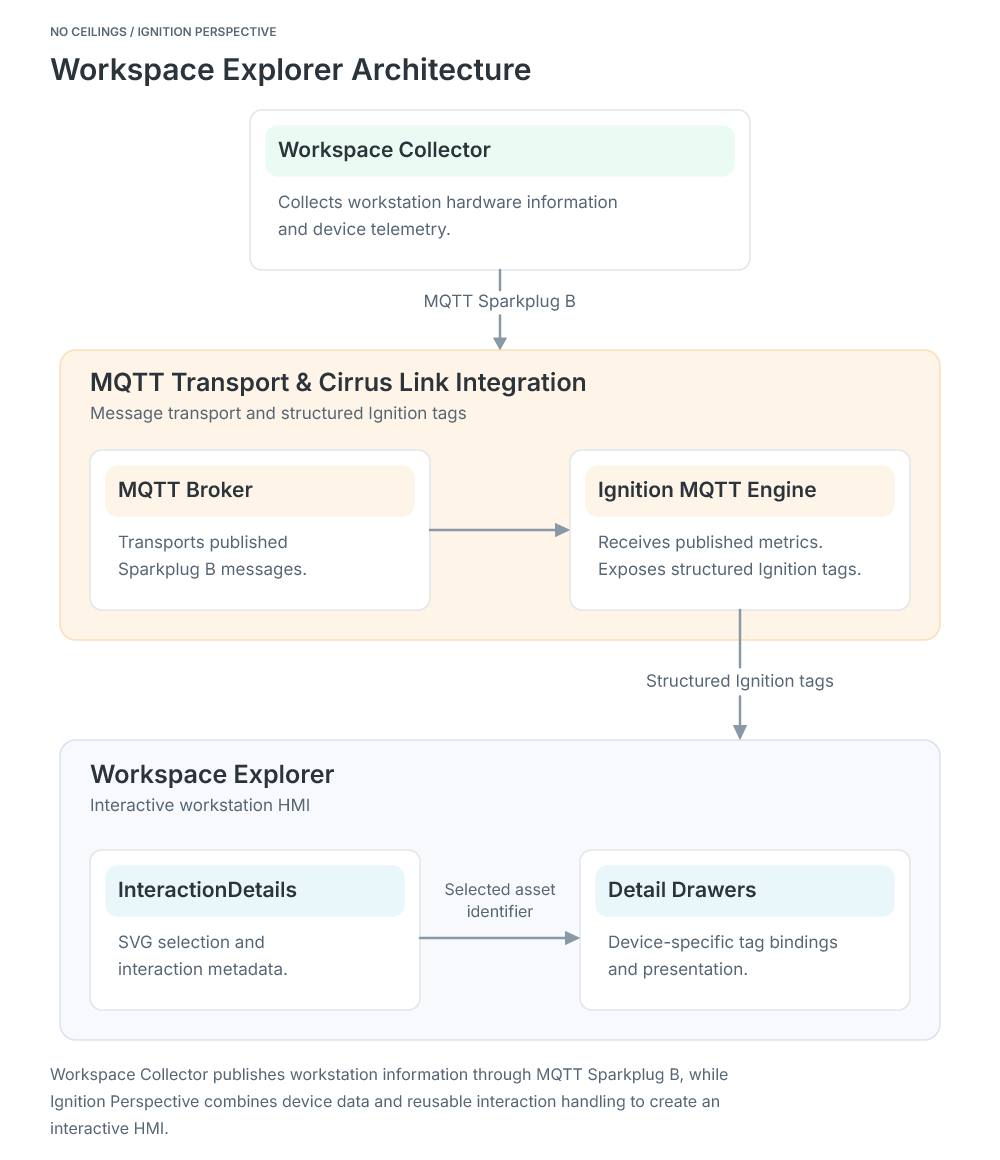
Workspace Explorer System Architecture
Workspace Collector publishes workstation information through MQTT Sparkplug B, while Ignition Perspective combines device data with reusable interaction handling to create an interactive HMI.View Image
This separation means the collection application does not need to manage the HMI, and the HMI does not need to collect hardware information itself. It also means the interaction component does not need to know what a computer, monitor, or mouse represents.
Engineering Decisions Behind the Demonstration
Separate Data Collection from Visualization
Workspace Collector handles the acquisition and publishing of workstation information. Workspace Explorer consumes that information through Ignition tags. Keeping those responsibilities separate makes the architecture easier to understand and gives each project a clear purpose.
Use Asset Identifiers Instead of Drawing Positions
The interface associates selected SVG elements with meaningful device identifiers. Those identifiers connect the visual selection to the relevant Perspective drawer and tag data without making the application depend on a particular SVG element address.
Reuse Components Where Behavior Is Shared
Common detail components and shared monitor views reduce repeated presentation logic. InteractionDetails provides reusable interaction handling instead of embedding all selection logic into the drawing itself.
Focus on Monitoring Rather Than Control
Workspace Explorer is an equipment-information demonstration. Its purpose is to inspect workstation identity, configuration, state, and telemetry, not to issue commands to the underlying hardware. An interactive HMI can provide value simply by making information easier to locate and understand.
Beyond the Workstation
The workstation is a convenient subject for demonstrating these ideas, but the same approach could be applied to other visual interfaces. A manufacturing cell, network rack, or electrical panel could use identifiable SVG elements to connect equipment selections with contextual information.
The data sources and interface requirements would change, but the underlying pattern would remain recognizable. Collect and organize information, identify the selected asset, and present the relevant details through reusable components.
Explore Workspace Explorer
Workspace Explorer brings together the capabilities developed in two supporting No Ceilings projects. The Workspace Collector project explains how workstation hardware information is collected and published through MQTT Sparkplug B. The InteractionDetails project explains how our custom Perspective component extracts meaningful information from user interactions. Together, they provide the data and interaction capabilities used in this demonstration.
To see those capabilities working together, Launch Workspace Explorer and explore the workstation yourself.