At No Ceilings, we develop custom HMI applications using Ignition Perspective from Inductive Automation. We create browser-based interfaces that help operators, engineers, and maintenance teams monitor equipment, interact with industrial systems, and access the information they need.
Whether you are developing an interface for a new production line, modernizing an existing application, or building a specialized operational tool, we design around your equipment, workflows, and integration requirements.
HMI Applications Designed Around Your Operations
An effective HMI does more than display values. It presents equipment conditions clearly, supports the actions users need to take, and organizes information so that operators can move from an overview to relevant details without unnecessary complexity.
Our Ignition Perspective development capabilities include:
- Equipment and Process Visualization: Interactive machine graphics, production overviews, process indicators, and operator controls.
- Alarms and Events: Interfaces for viewing active alarms, reviewing history, and investigating equipment conditions.
- Trends and Historical Data: Charts and contextual views of process variables, production information, and equipment performance.
- Diagnostics and Troubleshooting: Equipment details, communications status, and supporting system information.
- Responsive Interfaces: Layouts designed for industrial workstations, desktop browsers, tablets, and other supported devices.
- Specialized Applications: Custom tools for equipment management, asset visualization, configuration, and operational workflows.
Example: Beverage Packaging HMI
The following conceptual HMI illustration demonstrates how a beverage packaging operation could be presented in a Perspective application. A single overview can bring together production status, equipment conditions, performance indicators, and navigation to more detailed screens.
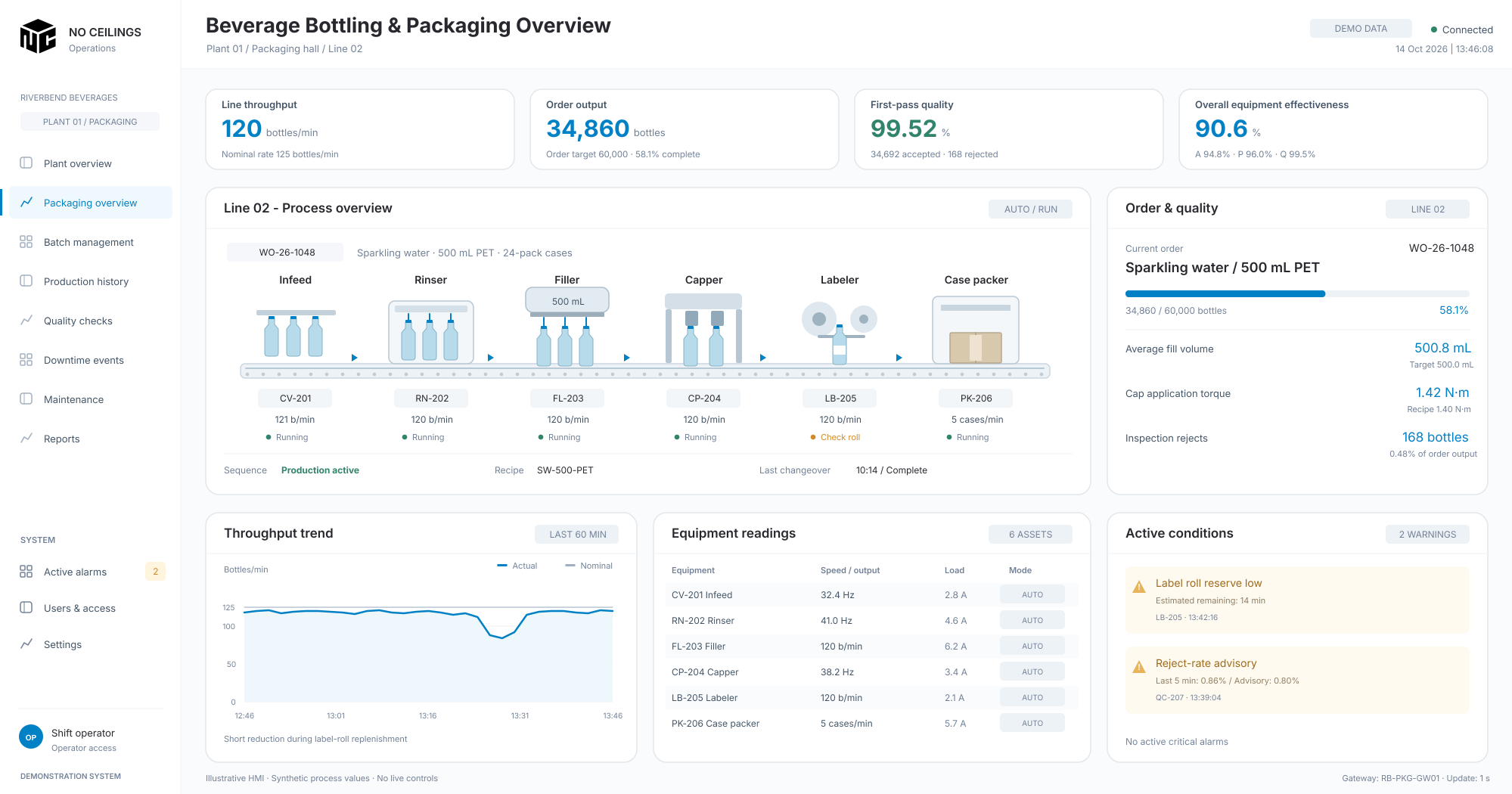
Example Beverage Packaging HMI Interface
Conceptual beverage packaging HMI with production metrics and equipment statusThis is an illustrative interface concept, not a screenshot of a deployed customer system. Actual layouts, control functions, and displayed data would be developed around the equipment and operating requirements of the facility.
Industrial Data and Application Integration
HMI development depends on reliable access to the right information. We build Perspective applications that use Ignition connectivity and scripting to work with industrial controllers, operational databases, and other systems as required by the project.
Depending on the environment, integrations may involve PLC data, OPC UA, MQTT, SQL databases, or external APIs. These connections can support combined equipment views, diagnostics, historical information, and application-specific workflows.
Beyond Traditional HMIs: Workspace Explorer
Perspective can also support applications that go beyond conventional process screens. Workspace Explorer is an example of an interactive asset-visualization application that organizes connected devices within a graphical workspace.
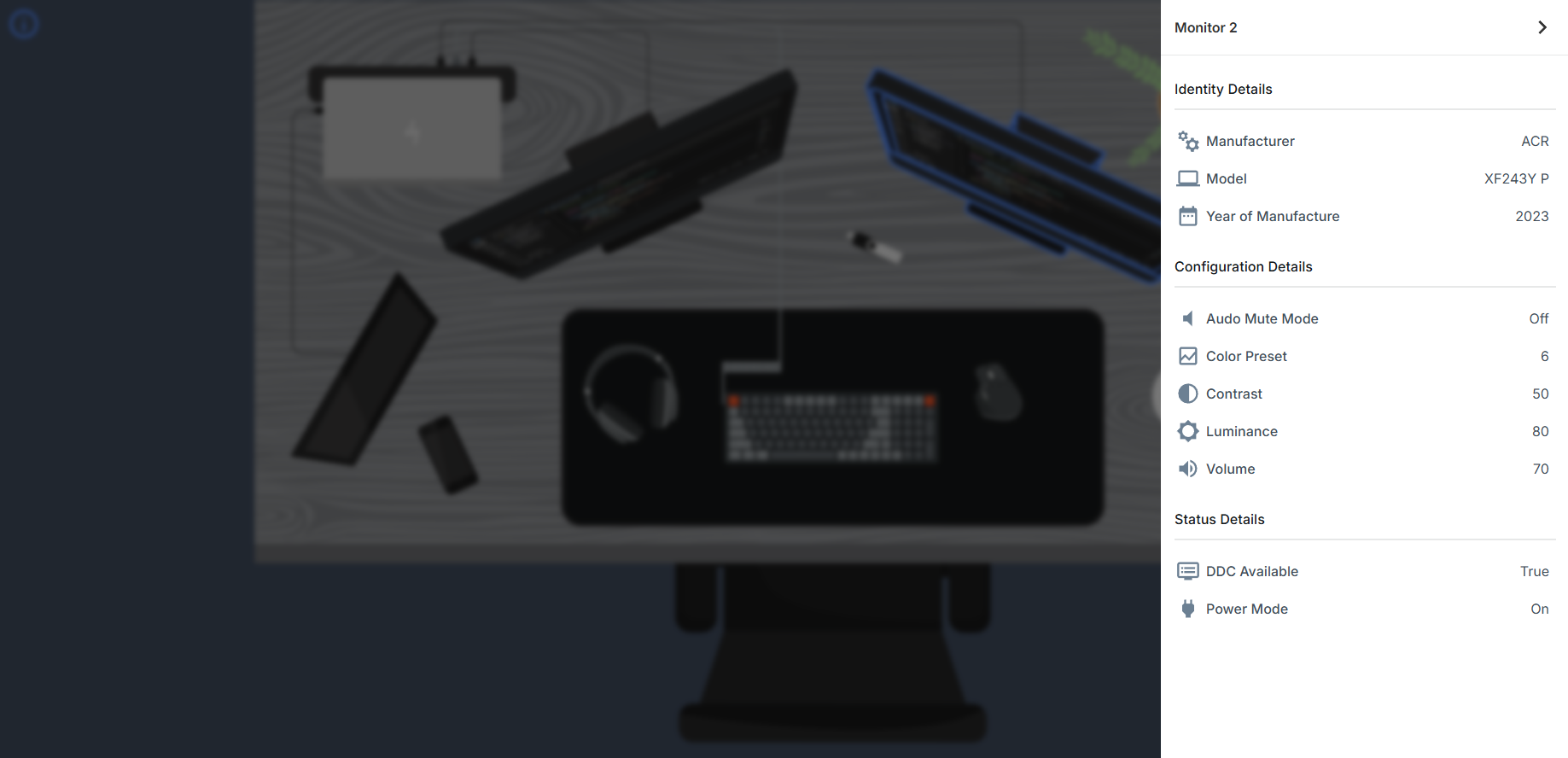
The demonstration illustrates how a user can select an asset and explore information such as its identity, configuration, connection status, and available telemetry. The same interaction model can be adapted to industrial equipment, facility assets, and distributed systems.
Workspace Explorer Demonstration
A gallery of application views will show the workspace overview, asset selection, device information, and live device conditions. These examples highlight several development techniques:
- Interactive Graphics: Selecting individual devices within a graphical environment.
- Contextual Asset Information: Displaying identity, configuration, state, and telemetry for the selected asset.
- Custom Device Integration: Collecting information from devices with specialized communication interfaces.
- Reusable Components: Consistent information panels, status indicators, and interaction patterns.
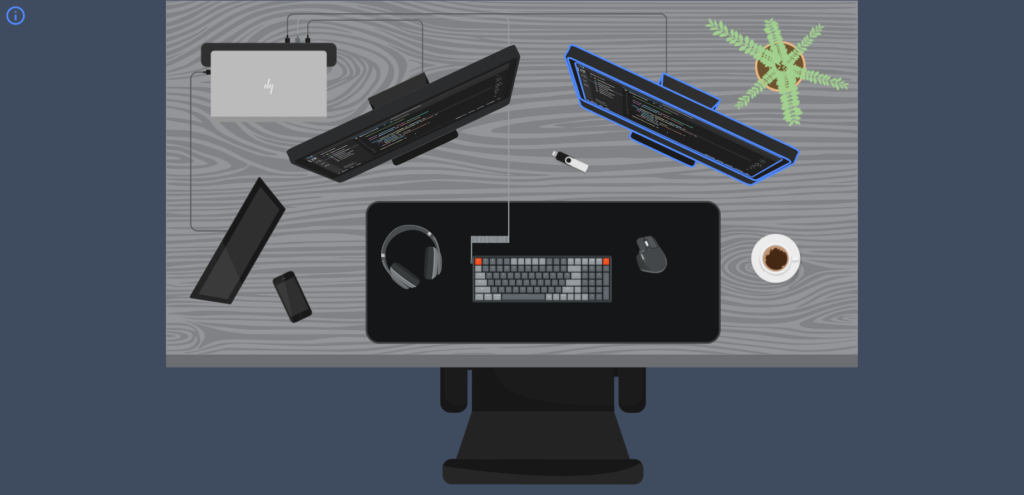
Interactive Asset Overview
A custom Ignition Perspective application that provides an interactive visualization of connected devices and computing infrastructure, allowing users to explore assets and access operational information through a unified interface.Device Details and Telemetry
Selecting an asset reveals its available properties, configuration, connection status, and live telemetry, demonstrating how Perspective can combine interactive graphics with detailed device information.Workspace Explorer is presented as a development demonstration. It shows the kinds of interactive experiences we can build with Perspective without implying that the example represents a customer installation.
See how interactive asset visualization, device monitoring, and custom application components come together in Ignition Perspective.
Custom Components and Application Logic
Not every application requirement fits a standard component or screen layout. We develop reusable Perspective views, navigation patterns, scripting logic, and application-specific interactions. Where appropriate, we also work with custom Perspective components and Ignition module development to support specialized functionality.
Our goal is to keep the application understandable and maintainable as equipment, screens, and requirements change.
Our Development Process
1. Requirements and Discovery
We review the equipment, data sources, user roles, operating workflows, and existing systems to establish what the application needs to do.
2. Interface Design and Architecture
We plan navigation, screen layouts, component reuse, data organization, and user interactions before building out the application.
3. Development and Integration
We implement Perspective views, scripts, integrations, and specialized components as required, keeping the interface aligned with the underlying operational data.
4. Testing and Refinement
We review the application against intended workflows, validate displayed information and interactions, and refine the experience based on project feedback.
5. Deployment and Handoff
We support deployment and provide relevant application documentation to help your team operate, maintain, and extend the solution.
Why Work With No Ceilings?
Our work brings together industrial automation knowledge and software development practices. We consider both the systems providing the data and the people using the application, with an emphasis on clear interfaces, reusable components, and practical integration.
Because we work specifically with Ignition Perspective, our HMI development approach is centered on its web-based application model and the flexibility it offers for both industrial visualization and custom operational tools.
Ready to Develop Your HMI?
Whether you need a production HMI, an equipment monitoring interface, or a specialized Perspective application, we would welcome the opportunity to discuss your requirements.
Request a quote to get started with No Ceilings.