- Why Clipboard Access Needs a Bridge
- A Simple Scripting Interface
- Following the Request Through the System
- How the Browser Performs the Copy
- What Mobile Safari Revealed
- A Possible Next Step: A Browser-Side Copy Button
- Implementation and Maintenance Considerations
- Practical Uses in Perspective
- The Broader Lesson
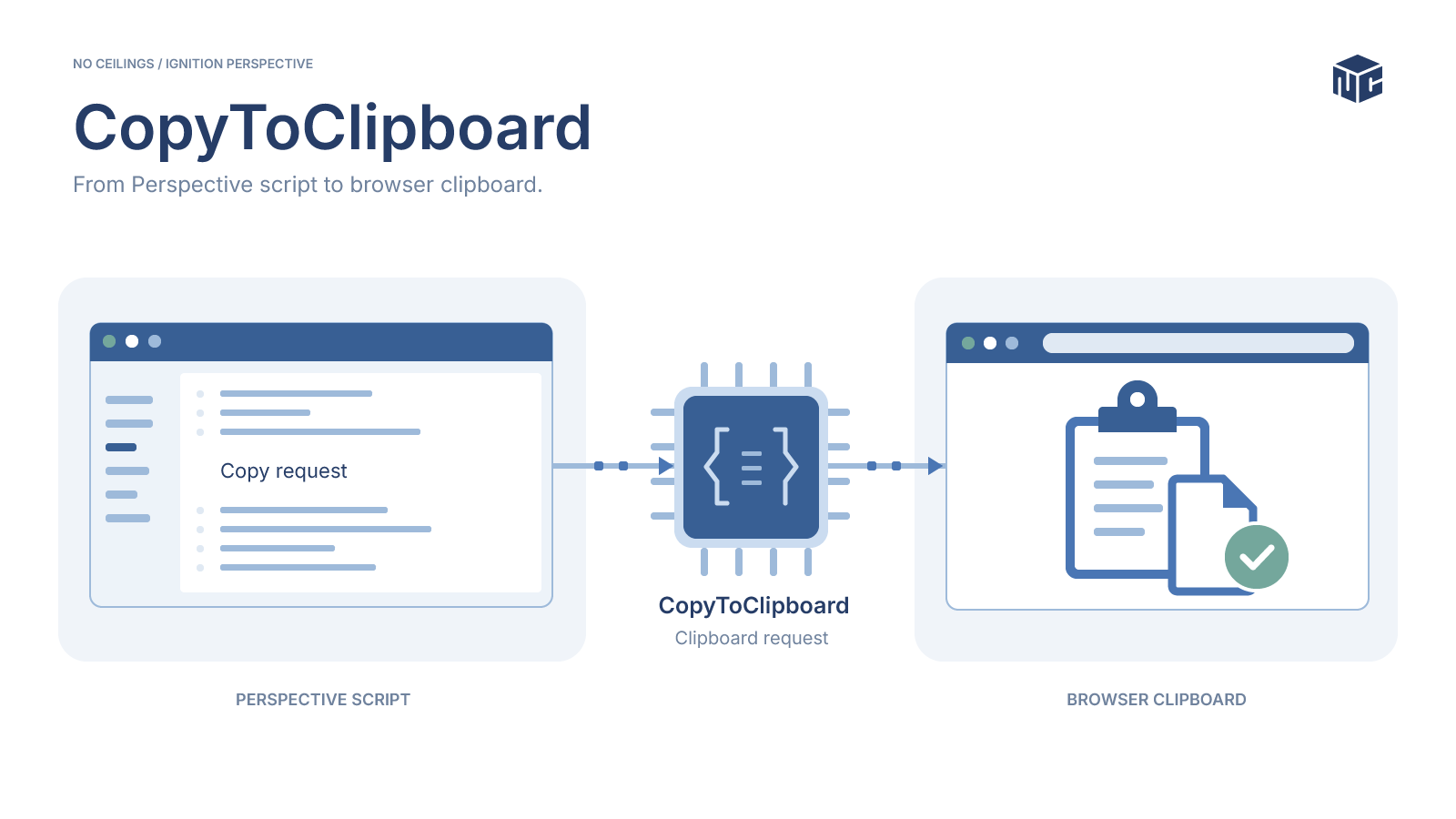
A copy button is one of the simplest interactions in a web application. In Ignition Perspective, however, the code requesting the copy may execute on the Gateway while the clipboard belongs to a browser on another device. That separation turns a seemingly straightforward operation into a messaging and browser-permissions problem.
We built CopyToClipboard, a custom Ignition module that lets a Perspective script request a clipboard write in the active browser page and receive the result. The implementation connects Gateway scripting, Perspective messaging, asynchronous request tracking, and browser clipboard APIs. It also exposed an important limitation during testing with Mobile Safari.
Why Clipboard Access Needs a Bridge
Ignition Gateway scripts run on the server, not inside the operator’s browser. Calling a clipboard operation on the Gateway would not write text to the clipboard of the workstation, tablet, or phone displaying a Perspective session.
To reach the correct clipboard, the Gateway must identify a Perspective page, send the text to that page, let browser-side JavaScript attempt the copy, and return the outcome to the original script. Browser security rules still determine whether the operation is allowed.
A Simple Scripting Interface
The module exposes a single function in the No Ceilings scripting namespace. A Perspective script supplies the text to copy and can use the returned boolean to respond to the outcome.
success = system.noceilings.perspective.copyToClipboard("1234")

if success:
    logger = system.util.getLogger("Clipboard")
    logger.info("Copy request succeeded")
The public function takes one string argument, value. It selects the relevant Perspective page internally; callers do not provide a session ID or page ID. When the browser responds, the function returns True for a successful copy attempt or False when the browser reports failure.
Following the Request Through the System
The implementation has four responsibilities: create and send the request on the Gateway, receive it in the Perspective browser, attempt the clipboard operation, and correlate the response with the original call.
The Request Lifecycle
- Create the request. The Gateway assigns a unique identifier to the requested text and locates the target Perspective page.
- Deliver it to the browser. A Perspective message carries the identifier and text to browser-side code.
- Attempt the copy. The browser utility uses the available clipboard mechanism and records whether it succeeded.
- Resolve the call. A response message carries the same identifier and the boolean result back to the Gateway.
The two directions use separate message protocols: noceilings-copy-to-clipboard for the request and noceilings-copy-to-clipboard-resolve for the response. The unique ID allows multiple requests to be tracked independently.
Message Payloads and Correlation
{"id":"<request-uuid>","value":"1234"}{"id":"<same-request-uuid>","success":true}Waiting for the Browser Response
On the Gateway, a CompletableFuture<Boolean> waits for the matching response. Pending operations are stored in a concurrent map and removed after completion or failure, including a timeout. If a response arrives after its pending request has been removed, it cannot resolve that expired call.
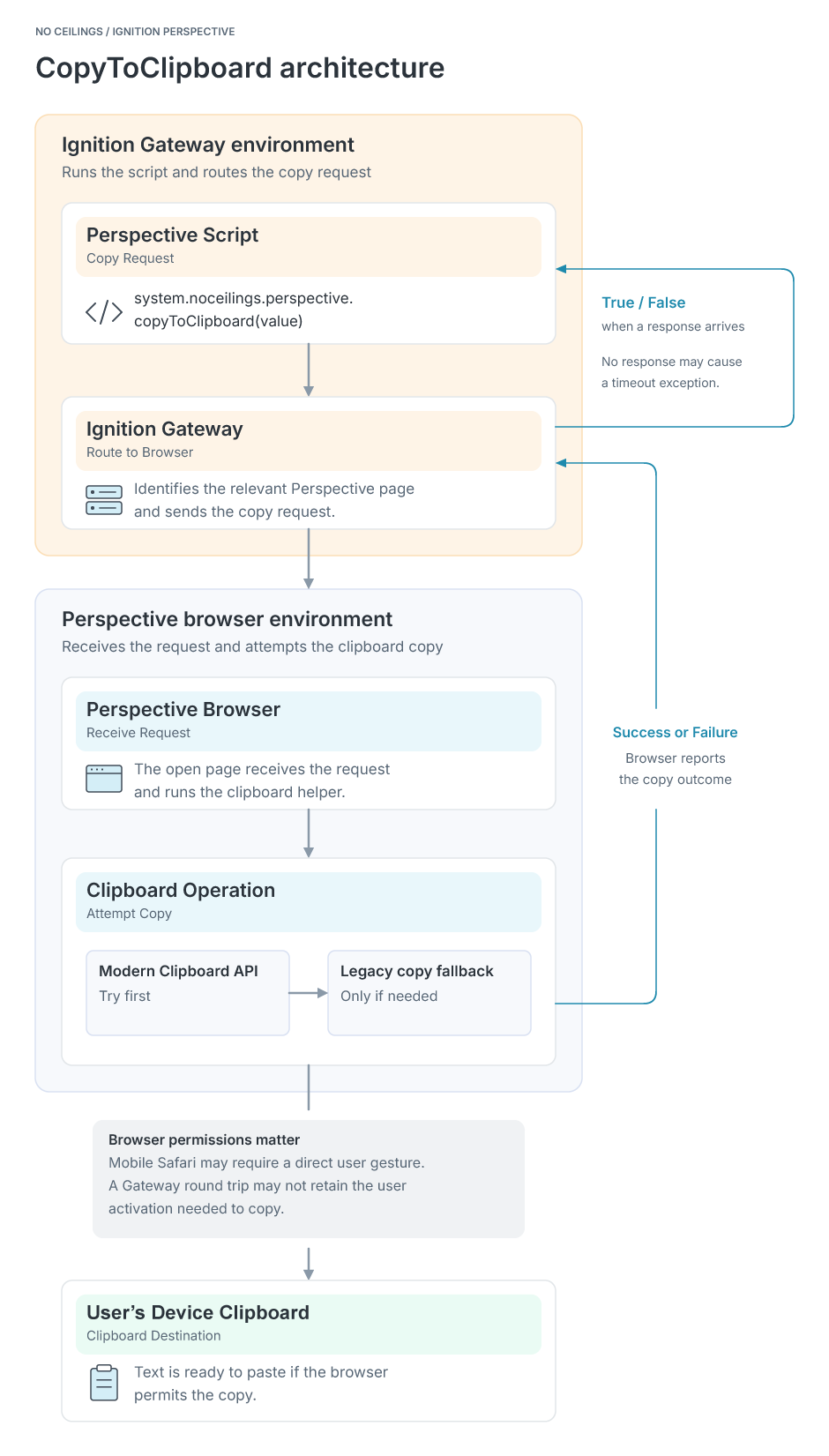
CopyToClipboard Architecture
The Gateway-to-browser clipboard request and response flow.View Image
How the Browser Performs the Copy
Once the request reaches the browser, the utility first tries navigator.clipboard.writeText(). If the modern API is unavailable or rejects the request, it falls back to the older document.execCommand("copy") approach using a temporary textarea.
Modern API and Legacy Fallback
async function copyText(text: string): Promise<boolean> {
    if (navigator.clipboard?.writeText) {
        try {
            await navigator.clipboard.writeText(text);
            return true;
        } catch (error) {
            console.warn("Clipboard API failed; trying fallback", error);
        }
    }

    // Illustrative shorthand for the textarea-based fallback.
    return legacyCopy(text);
}
This snippet illustrates the decision path rather than reproducing the complete implementation. legacyCopy is a placeholder name, not a separately exported module function. The actual fallback creates a readonly textarea, selects its contents, calls the legacy copy command, and removes the temporary element.
The browser’s reported result is passed back to the Gateway. The Gateway does not independently read the user’s clipboard to verify its contents.
What Mobile Safari Revealed
Clipboard permissions are not determined by whether a page is visible or focused. Some browser operations also require transient user activation: a short-lived permission context associated with a direct interaction such as a click or tap.
Focus Versus User Activation
During testing on iPhone Safari 18.6, the Perspective page still had focus when the clipboard request arrived, but the browser no longer reported active user activation. The legacy copy attempt failed:
document.hasFocus()                  // true
navigator.userActivation.isActive   // false
document.execCommand("copy")        // false
Why the Asynchronous Request Failed
The same legacy copy approach succeeded when executed directly inside a click handler. That comparison suggests the asynchronous route through the Gateway and Perspective messaging lost the user-activation context required by Safari in this test, rather than the failure originating in the textarea selection procedure.
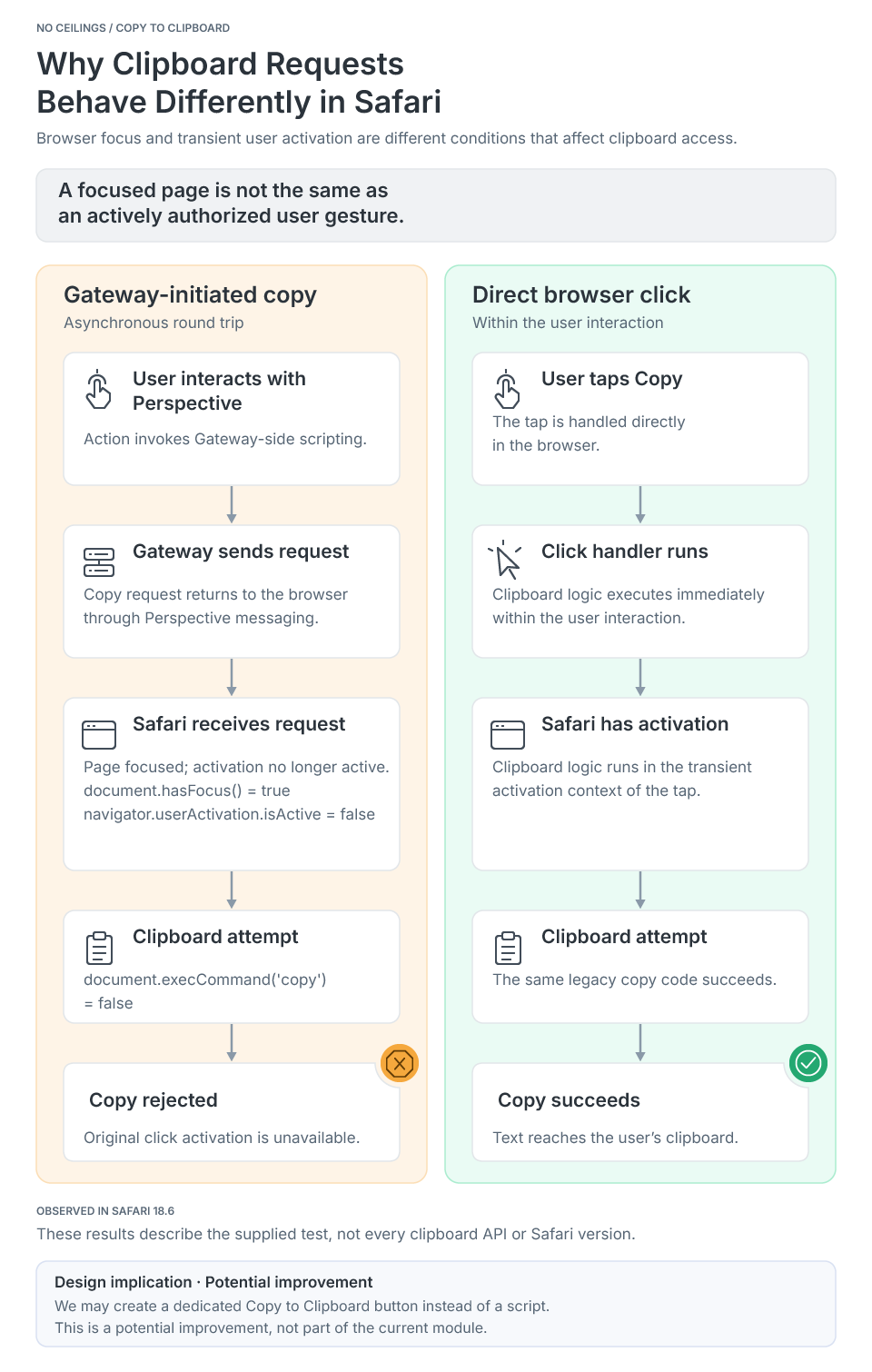
Safari User-Activation Comparison
Why a focused browser page may still lack permission to copy.View Image
A Possible Next Step: A Browser-Side Copy Button
The Safari results suggest a complementary approach: a reusable Perspective Copy to Clipboard button that starts the operation directly from the browser’s click handler, without first sending the action through the Gateway.
Component Behavior and Requirements
Such a component could expose a configurable label, a bound clipboard value, a disabled state, and success or failure feedback. The important design constraint is that the text must already be available in the browser when the user clicks. Fetching it asynchronously after the click could lose the transient activation the operation needs.
Implementation and Maintenance Considerations
The current implementation is a Gateway-scoped Ignition module with a browser JavaScript resource. It does not add a custom Perspective component or Designer hook. The checked-in build configuration targets Ignition SDK 8.3.4.
Private API Dependencies
One maintenance risk deserves attention. The Gateway registers its response handler by using Java reflection to access a private handler registry on Perspective’s PageModel. This relies on an internal implementation detail rather than a stable public API. Compatibility with future SDK versions, including the behavior of repeated registrations, needs to be verified when upgrading.
Protecting Clipboard Values in Logs
The legacy clipboard fallback also currently logs the requested text if execCommand("copy") returns false. That diagnostic logging should be removed before production use so clipboard values do not appear in browser logs.
Practical Uses in Perspective
A consistent clipboard interface is useful across industrial applications: copying equipment identifiers and serial numbers, transferring tag paths into engineering tools, sharing diagnostic messages with support teams, or exporting a small JSON payload from an HMI.
The scripting API gives those workflows one entry point while leaving the actual clipboard operation to the user’s browser. Applications still need to account for exceptions, browser restrictions, and situations where a direct user-initiated action is more reliable.
The Broader Lesson
CopyToClipboard demonstrates that even a small HMI feature can cross several important boundaries. The Gateway can deliver a request and correlate an asynchronous response, but it cannot grant the browser permission to perform the action.
The module provides a practical Gateway-to-browser clipboard interface where browser policy permits it. The Safari testing also points toward a clearer separation of responsibilities: use Gateway messaging when an asynchronous operation is appropriate, and use a browser-side interaction when the action depends on the user’s immediate gesture.
At No Ceilings, we use these engineering exercises to develop reusable Ignition integrations and understand the platform constraints behind everyday operator interactions.